
Your notes are files. Git is your sync.
Every note is a Markdown file in a folder you own. Sync and version it with Git.
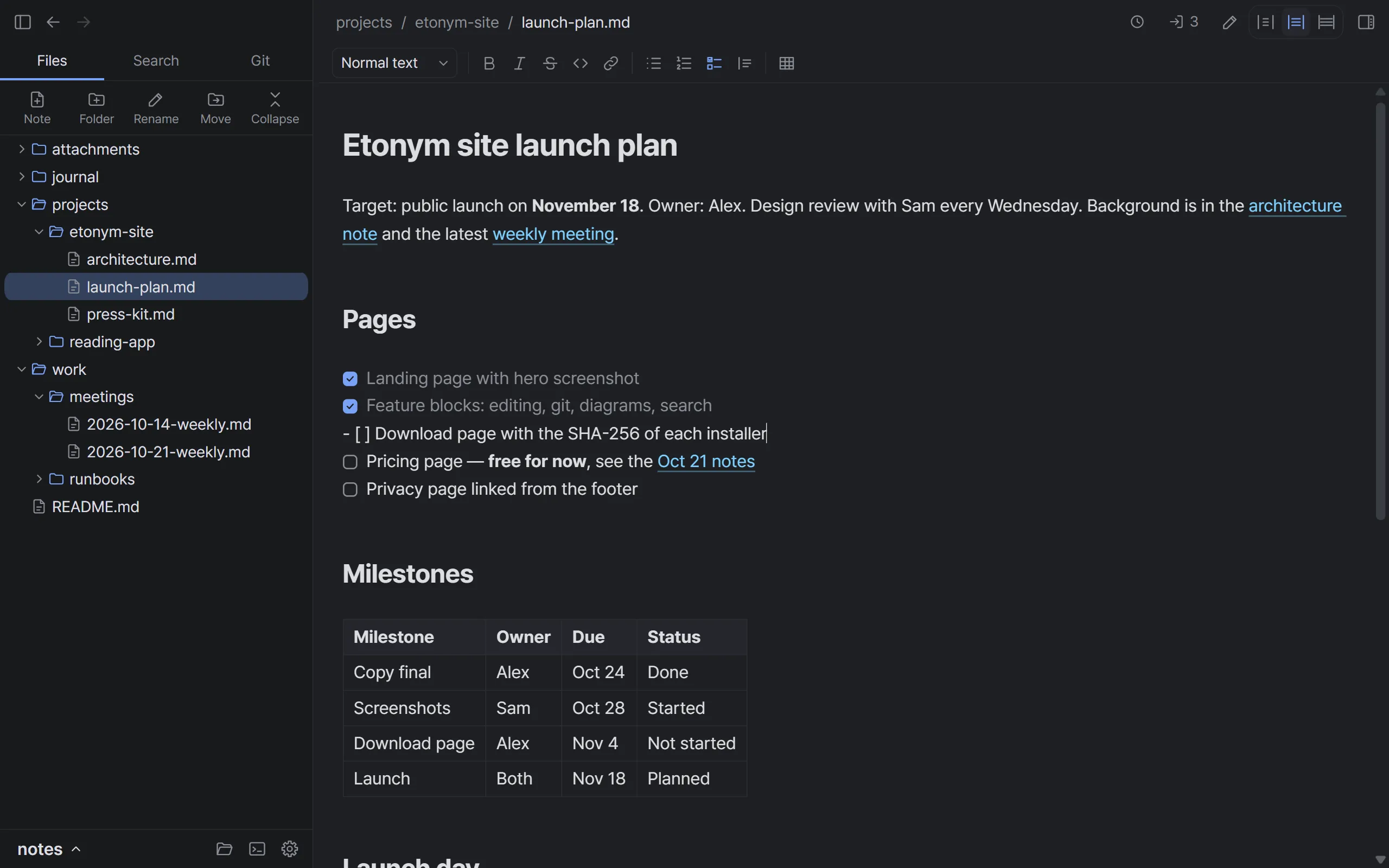
Live preview
Formatted as you write
Headings, checkboxes, tables and links appear formatted while you type. The line with the cursor shows its Markdown, so you always see what is in the file.
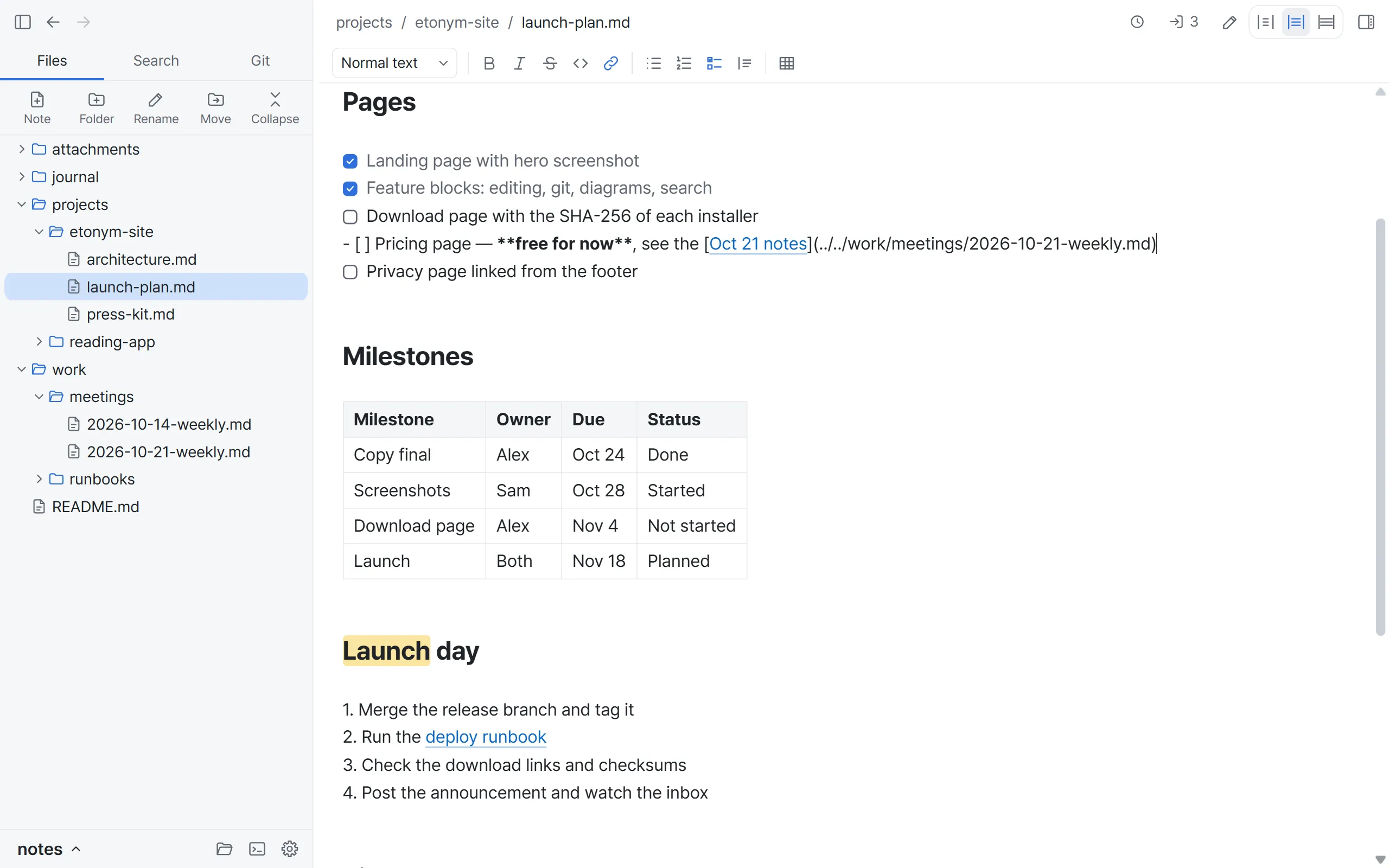
Tables
Edit tables cell by cell
Type in any cell, select a range, and copy or paste to and from a spreadsheet. The file keeps a plain Markdown table.
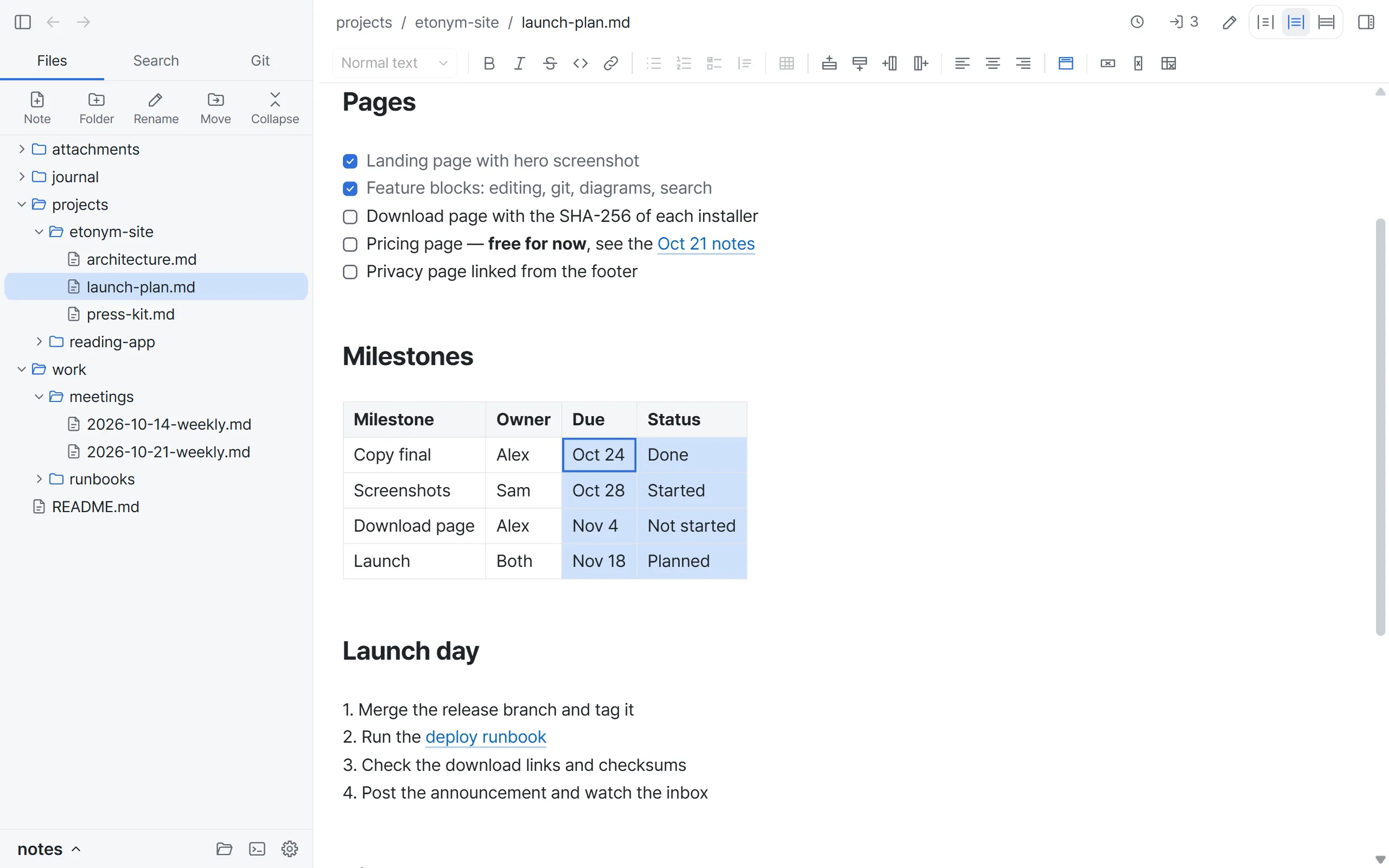
Mermaid diagrams
Diagrams from plain text
Write a Mermaid block and the note shows the diagram. It renders offline, and the file keeps only the text.
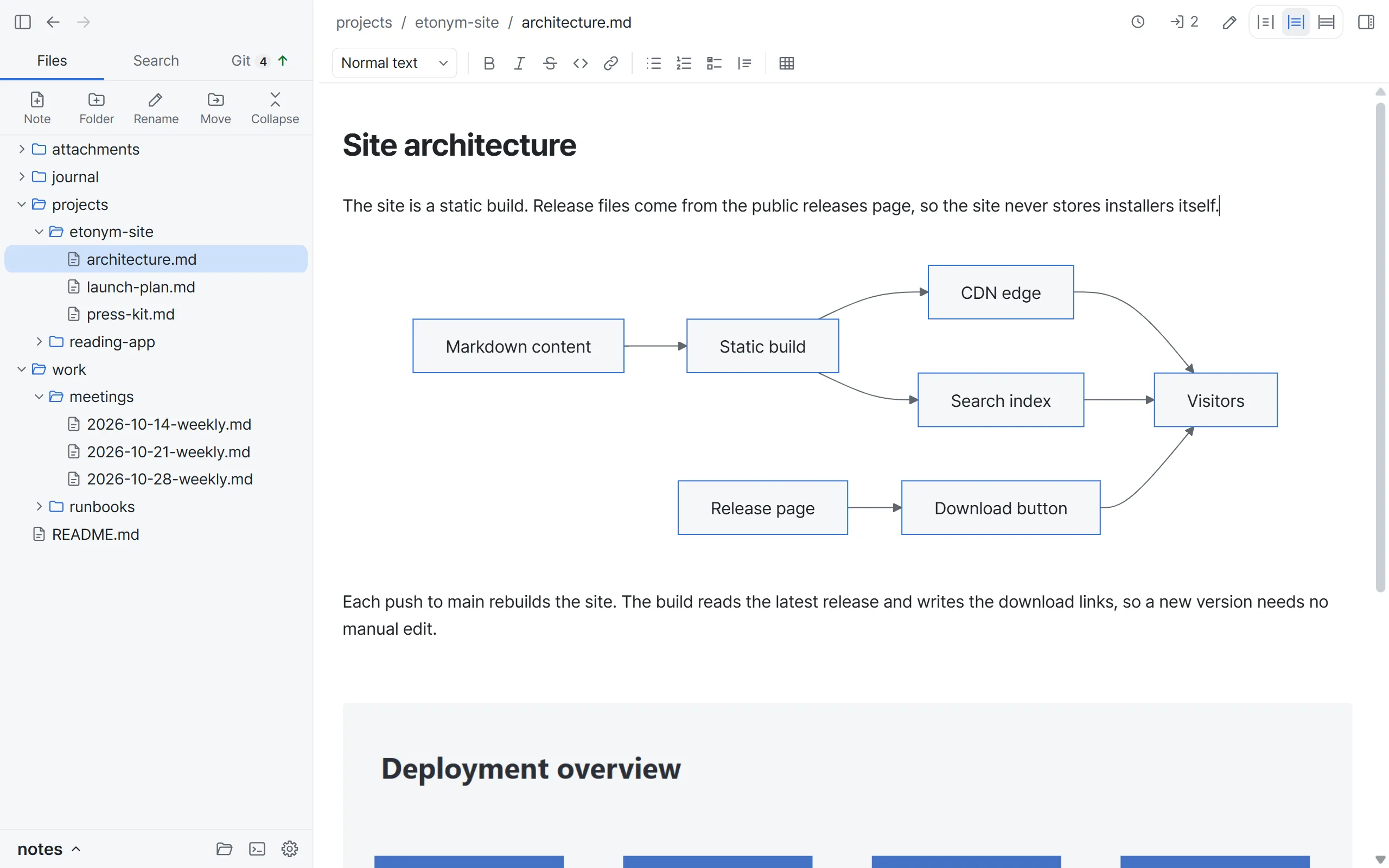
Search
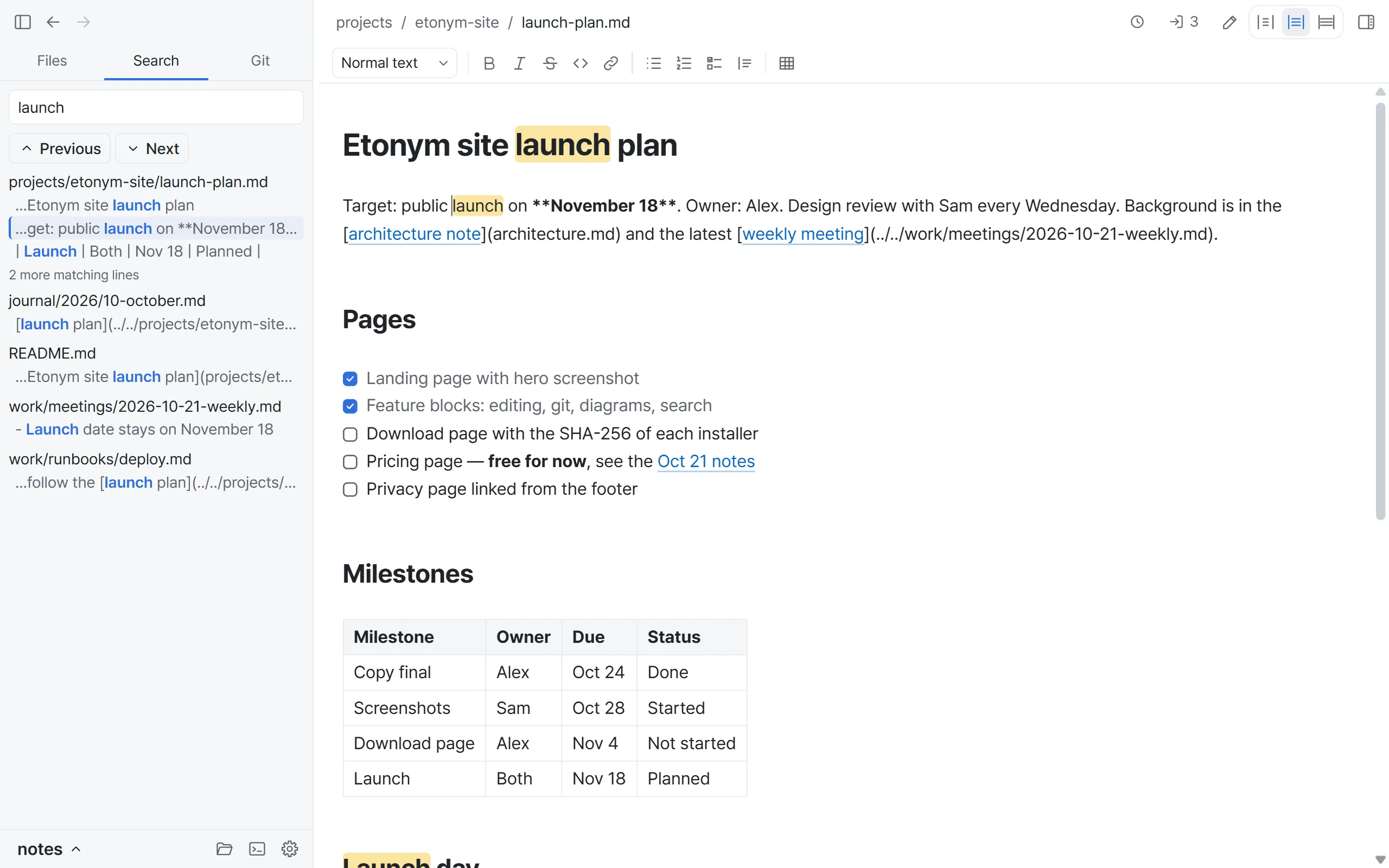
Find any note in the folder
Search the text of every note at once and see each match in context. To jump to a note by name, press Ctrl+O.
Git
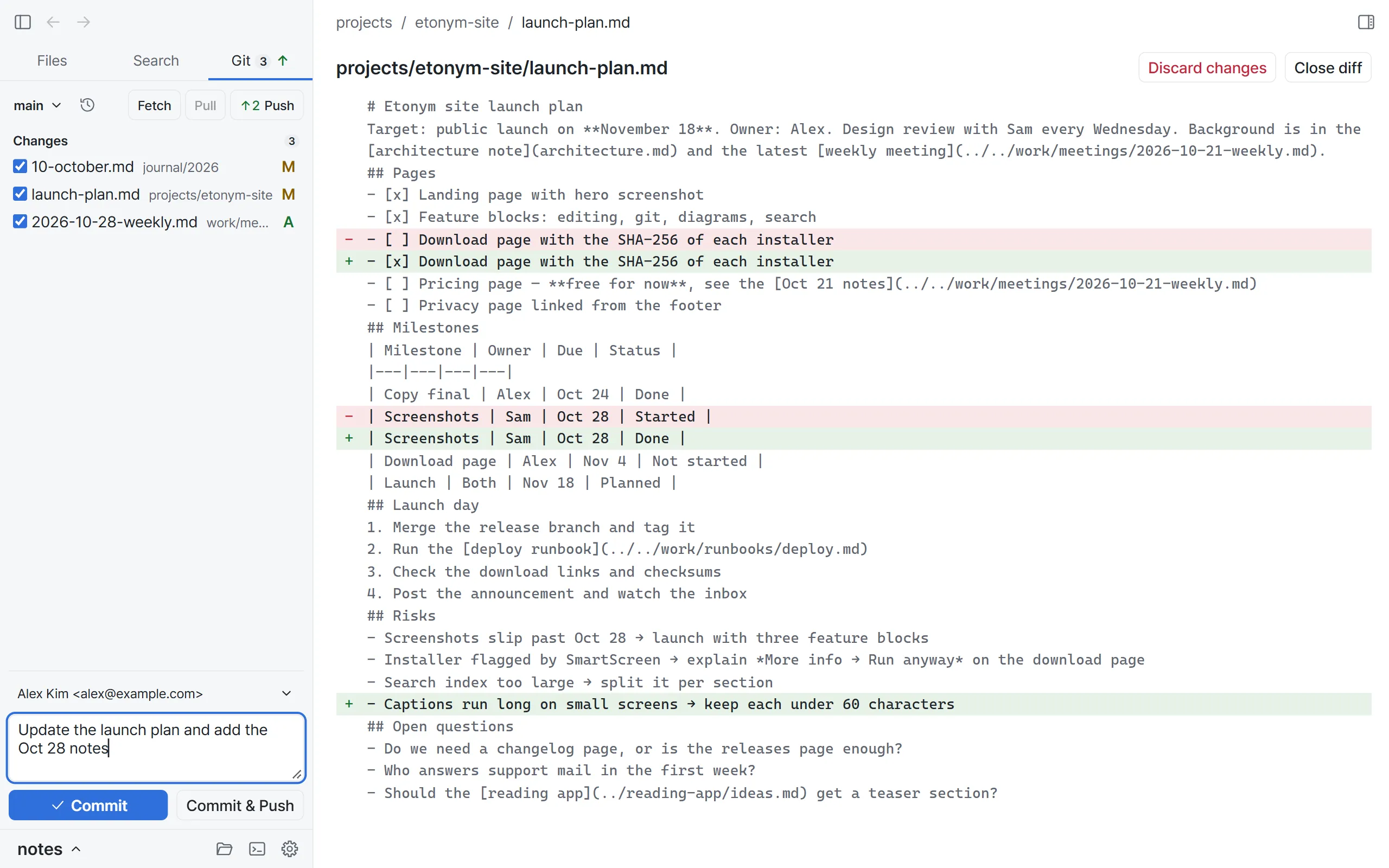
Commit without leaving your notes
See what changed, read the diff, pick the files, then commit and push. If a pull stops on a conflict, keep your version, theirs or both, part by part.
Note history
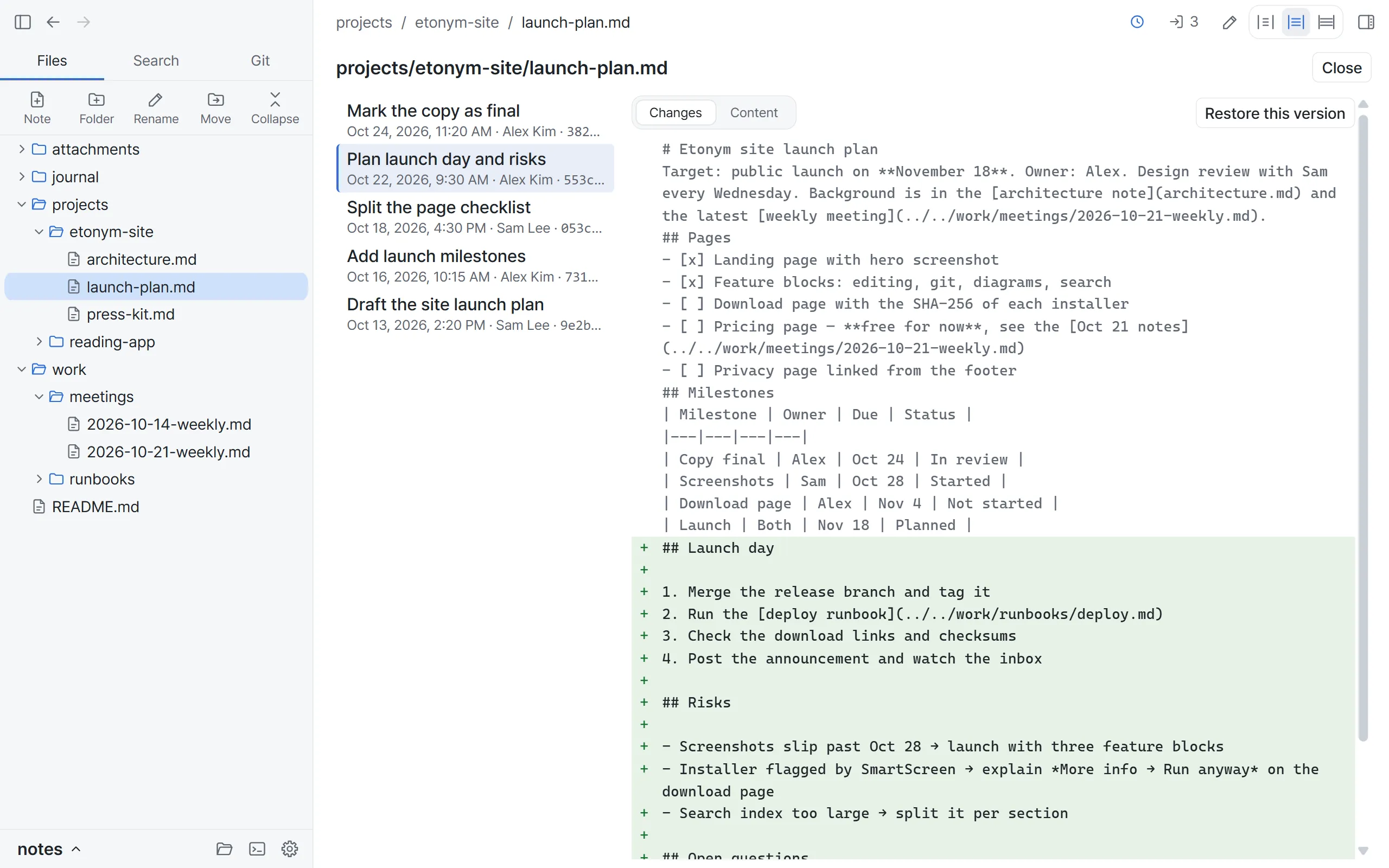
Every version of a note
See each version of a note that Git has kept, who wrote it and what changed. Restore any version, and undo the restore in the editor.
Private by design
Your notes stay on your PC
No account
Download it and start writing. There is nothing to sign up for.
No server
Notes live in your folder. Etonym has no cloud of its own.
Notes are not sent
Etonym never uploads your notes. Git sends them only when you push.
Questions
Is Etonym free?
Yes. Download it and use it without an account.
Where are my notes stored?
In a folder you choose, as plain Markdown files. Open them in any editor, or move the folder wherever you like.
Do I need to know Git?
No. Etonym writes and saves notes without Git. To keep versions and sync, it uses the Git on your PC, and the Git tab handles commit, push and pull. Your SSH keys, hooks and commit signing work as they do in the terminal. How Etonym uses Git
Why does Windows warn me when I install it?
Etonym is not code-signed yet, so Windows SmartScreen warns about new apps. Select More info, then Run anyway. You can check the file against its SHA-256 first. Check the file
Is there a macOS version?
No. Etonym is for Windows 10 and 11 (64-bit) only.
Get in touch
Start writing in under a minute.
Download for WindowsFree · Windows 10 or later · No account needed